
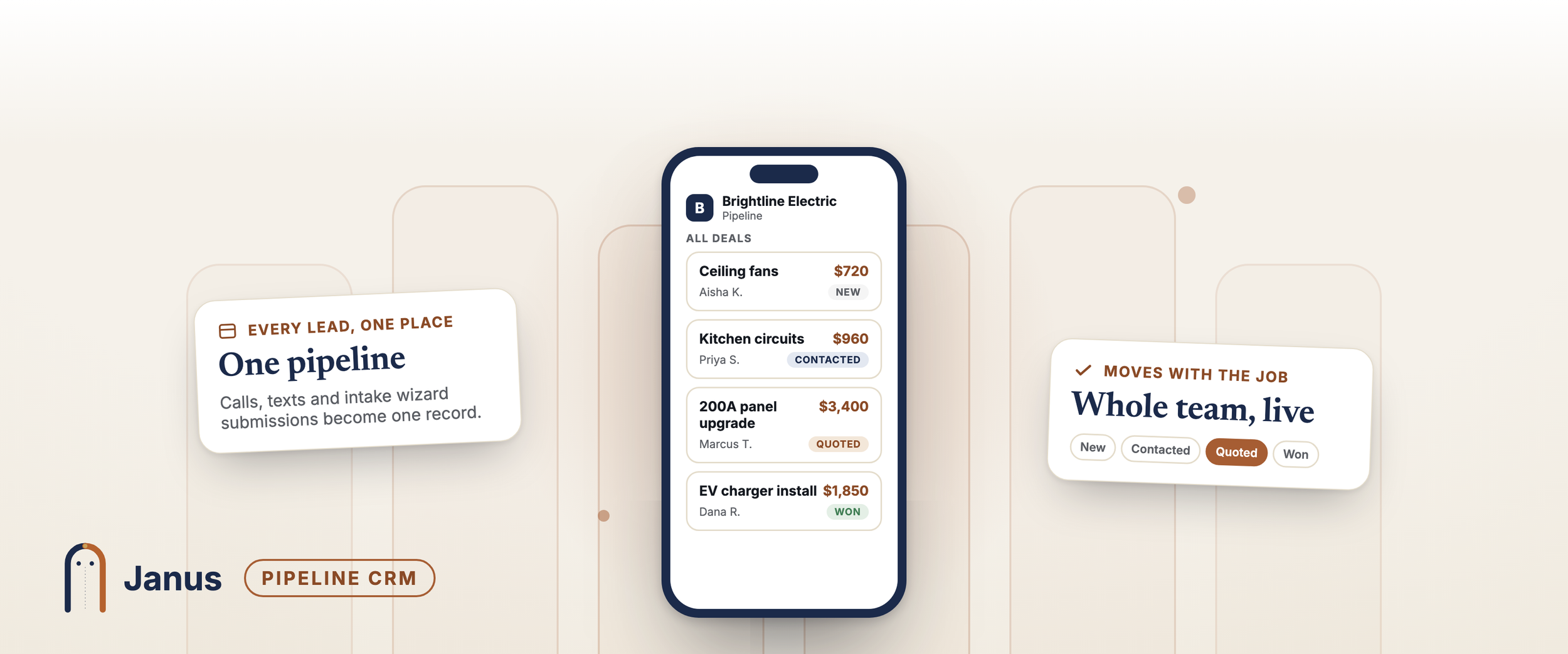
Every lead, deal and job, on the phone in your pocket.
Every request, missed call and follow-up lands on one pipeline your whole team can see and work.
Janus flags the deals that are going quiet, and it works as well between jobs as it does at a desk.
On every Janus plan, with unlimited team members.
Where jobs get lost
The sticky note. A prospect's details live on a scrap of paper until it goes missing.
The shared inbox. Three people check one inbox. Nobody is sure who followed up, and everyone assumes someone else did.
The deal that went quiet. You sent the quote, then got busy. Two weeks later the prospect has hired someone else.
How it works
- Every request lands on your pipeline. Requests from your front doors, missed calls and calls your AI assistant answers all arrive as deals, with the prospect's details, what they asked for in their own words, any photos they sent and where they came from. Nothing to retype.
- Move deals through five stages. New, Contacted, Quoted, then Won or Lost. Change a stage and your whole team sees it.
- Know who to call first. Each sales request is scored Hot, Warm or Cold, and each deal shows its estimated value. Sort by Best lead first, Highest value or Newest first.
- See what's slipping. A deal that has sat too long says so in red: "Idle for 17 days". Tap Needs action to see only the flagged deals.
Someone started your form and left halfway? If they gave a name and an email or a phone number, they're waiting under Unfinished forms in your Inbox. Tap Work this to put them on your pipeline.
Nothing goes quiet without you knowing
Idle flags
A deal with no stage change in five days shows how long it has been idle. So does a new request nobody has touched. A deal whose value was cut sharply, or with an overdue to-do, is flagged too.
Needs attention
Today opens with one list of what's waiting on you: stalled deals, text replies nobody has answered, missed calls nobody has handled. The most serious come first, then the ones worth the most.
A reminder after 48 hours
If a deal is still at New 48 hours after it came in, Janus sends one reminder by email or text, with one-tap buttons to mark it Contacted, Quoted, Won or Lost.
Text replies on the deal
When a prospect replies to a text, the reply shows on their deal and under Texts in your Inbox. It stays marked Needs reply until someone answers it or marks it answered.
Notes and to-dos
Add a note to a deal, or a to-do with a date and a person. Every change to a deal is listed under Activity, so anyone can pick it up where the last person left off.
An alert for every new request
The people you choose are told by email, text or push notification when a new sales request comes in. Give each deal an owner so it's clear whose call it is.
Sales and service, kept apart
Not every request is a sale. Pipeline has a tab for each kind, so service work doesn't clutter your sales.
Sales
New jobs and estimates, scored Hot, Warm or Cold, with a value on each deal and a total on each stage.
Service
Existing customers who need help. Requests move through New, Open and Closed, and carry a priority (Urgent, High, Normal or Low) with no prices.
Hiring
Job applicants, from Applied through Screening, Interview and Offer to Hired.
Submissions
Everything else, marked New or Reviewed.
Filed in the wrong place? The account owner or an admin can move a deal between Sales and Service, and its history goes with it.
Everything about a customer in one place
Contacts
Search and sort your whole customer list. Add a second phone number, so calls and texts from either one reach the same customer. Import your existing list from a spreadsheet, and merge duplicates without losing a number or an email.
The customer record
One page for each customer: every deal, job and appointment, signed contracts, their photos, and the calls your AI assistant answered. Owners and admins can play those calls back for 90 days.
Search from any page
Find a request by name, email, part of a phone number or its reference number, from the search box at the top of every page.
Photos on the deal
Photos a prospect adds to a request or sends by text show on the deal, with a count on the card, so whoever takes the job sees the problem first.
From quote to job
- Book the visit. Book an estimate visit straight from a deal, or send the prospect a link to pick their own time. Visits show on your calendar by day, week or month, and sync with Google or Outlook.
- Keep the signed contract. Attach the signed estimate or agreement, as a PDF or a photo, and download it again any time. Janus stores the file; it doesn't write the contract.
- Won deal, new job. Mark a deal Won and Janus can create the job for you, with the customer, the value and the service carried over.
- Tell the customer who's coming. Tap Dispatch tech, pick a teammate, and Janus texts the customer that they're on the way, with the tech's photo when you have one. The customer must have agreed to texts.
- See the revenue. Earned, in-progress and booked jobs add up by service, lead source, team member and period. Add labor and materials to a job to see its margin. See the Job & Revenue Tracker.
See what's working
- Today. What needs you, how fast your team reaches new leads, and the value of your open pipeline.
- Pipeline flow. How long deals sit in each stage.
- Lost deals. Janus asks why each time a deal is lost, from your own list of reasons, and the report adds them up.
- Marketing results. Which sources turned into won jobs and revenue, not just clicks.
- Export. Download your pipeline, requests, contacts and jobs as spreadsheets, or your whole account with photos and documents.
Today, Revenue and reports are for the account owner and admins.
Built for between jobs
Phone first
Deals show as cards on a phone. On a computer, switch between a board and a table.
Works with a weak signal
Add Janus to your home screen like an app. Your pipeline stays readable with no connection, and a stage you change offline is saved when you're back in range.
The right view for each person
Everyone on your team works the pipeline, contacts, calendar and Inbox. Revenue, reports, job prices, billing and team settings stay with the account owner and admins.
English and Spanish
Each person picks the language for their own screens.
What it doesn't do
- It isn't field-service software. No route planning, no GPS tracking of technicians, no live job costing, and it doesn't send invoices.
- It doesn't follow up for you. Janus flags the deal and reminds your team. Your team makes the call.
- You can't rename or add stages. Every business gets the same five sales stages.
- It doesn't write contracts or quotes. It keeps the signed copy with the deal.
Already using other software to run your jobs? Janus sits in front of it. On Pro and Multi-location, Janus can send each new lead to another system through a webhook.
Pipeline questions
Is there an app to download?
No app store needed. Open Janus in your phone's browser and add it to your home screen. It opens like an app, and your pipeline stays readable without a signal.
Can my whole team use it?
Yes. Every plan includes unlimited team members, with no charge per person. Revenue, reports and Today are for the account owner and admins.
What are the stages?
Sales deals move through New, Contacted, Quoted, then Won or Lost. Service requests move through New, Open and Closed. The stages are fixed, so there is nothing to set up.
How does Janus decide a lead is Hot?
Each sales request gets a score out of 100 from how soon they need the work, the services they picked, the property type and where they came from. 70 or more is Hot, 40 to 69 is Warm, and below 40 is Cold.
Can my team text customers from Janus?
Yes, once your business has its own Janus number and an approved texting registration. Your team replies under Texts in the Inbox, and everyone sees the conversation and who sent what.
Can I bring my existing customers?
Yes. Import contacts from a CSV file, an Excel file or a contact card file. They're kept as records. Janus won't text them until they agree to texts on your request form or when they book.
Does a won deal become a job?
It can. With Won deals become jobs switched on, marking a deal Won creates the job with the customer, the value, the assigned person and the service carried over.
Does it work with the software I already use?
Janus doesn't replace field-service software. Use Janus to catch and win the work and your other system to run it. On Pro and Multi-location, Janus can send each new lead to another system through a webhook.
Does it work without a signal?
Your pipeline, your contacts and today's calendar show what they had last time. A stage you change offline is saved when you're back in range.
Is my data mine?
Yes. It's kept separate from every other business. You can export your pipeline, contacts and jobs as spreadsheets, or download your whole account, with photos and documents if you want them.
Stop running the business from memory.
One pipeline your whole team can see, update and trust, from the first call to the won job.