
Never miss another call.
Janus AI Voice answers your business phone when you can't — in your business's name, day or night. It takes the caller's details, books the visit, puts emergencies through to your on-call phone, and puts every call on your board as a new job lead.
The problem
You're on a roof, under a sink, or driving between jobs. The phone rings. By the time you call back, the customer has already rung the next company on the list.
Janus AI Voice picks up the calls you can't. You get the customer, not just a voicemail.
How it works — for your caller
1. They call your usual number. Nothing changes for your customers. They dial the number on your van, your website and your business cards.
2. They hear a short notice, then your assistant. A brief message lets them know the call is recorded. Then the assistant answers with your business's name. It never says it works for Janus — to your caller, it's simply your office answering.
3. The assistant takes their details. It asks for their name, email address and, for work at a property, the full street address. The number they're calling from is kept automatically.
4. It books the visit or gets help on the way. If you've turned booking on, the assistant offers open times and books a visit while the caller is still on the line. If it's an emergency and you've set an on-call phone, it puts them straight through.
What a call sounds like
Recording notice: "Thank you for calling. To ensure quality service and accurate booking, this call is recorded. Please hold while I connect you to our virtual assistant."
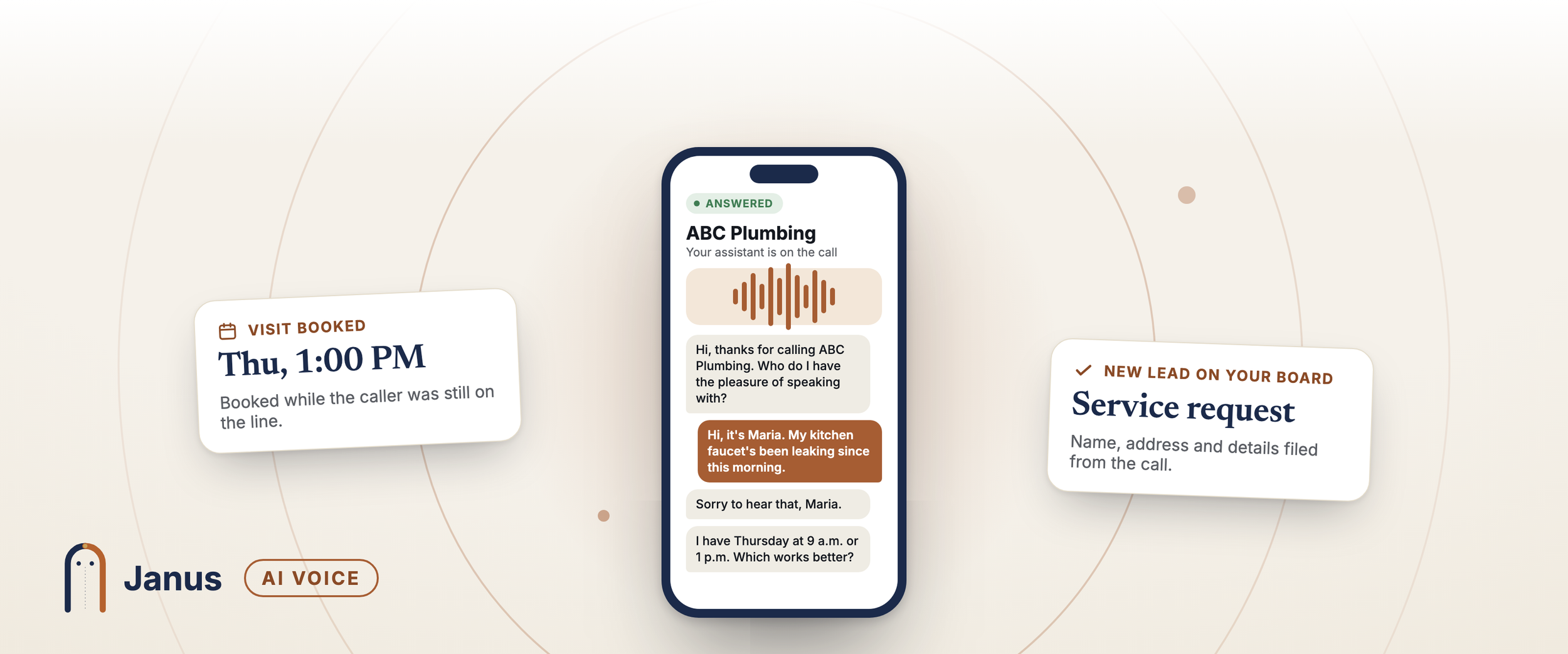
Assistant: "Hi, thanks for calling JD Construction. Who do I have the pleasure of speaking with?"
Caller: "Hi, it's Maria. My kitchen faucet's been leaking since this morning."
Assistant: "Sorry to hear that, Maria. Let's get someone out to you. What's the address where the work is needed?"
…the assistant collects the address and email…
Assistant: "I have Thursday at 9 a.m. or Thursday at 1 p.m. open. Which works better?"
Caller: "1 p.m., please."
Assistant: "You're booked for Thursday at 1 p.m. You'll get a text confirming it. Is there anything else I can help with?"
Editor's note: the recording notice is word for word. The assistant's lines are an illustration — it speaks naturally, not from a fixed script, and the times it offers come from your real calendar.
How it works — for you
Every call becomes a lead on your board. A minute or two after the caller hangs up, Janus reads the conversation and files it as a new request — sales, service, a general enquiry or a job applicant — with a reference number. You get your usual alert by text or email, the same as when someone fills in your online request form.
Booked visits land on your calendar. Visits the assistant books appear on your Janus calendar straight away, and on your Google or Outlook calendar if you've connected one. The caller gets a confirmation text with a link to change or cancel the visit, if they agreed to texts on the call.
Nothing half-finished slips through. If a caller hangs up before giving an email or an address, the call waits for you in Calls to review, with the transcript, so you can fill in the gaps and send it on. If the call drops, you get a text and an email with the caller's number so you can ring them back.
Works with Jobber. If you've connected Jobber, new sales and service calls go there too.
Your options
Every option below is off until you turn it on. Mix and match to fit how you work.
How calls reach your assistant
You choose when your assistant takes over, using your phone's own call forwarding:
The Safety Net (most popular) — your phone rings as it does now. Only the calls nobody picks up go to your assistant. You answer when you can; the assistant catches the rest.
Full Dispatch — every call goes straight to your assistant, and your phone stays quiet. Good for busy seasons, holidays, or when you'd rather work uninterrupted.
You can switch between them, or turn forwarding off, any time — with a short code dialled from your phone.
Ring your phone first
Want first shot at every call during working hours? Your own phone rings for 20 seconds before the assistant answers. Pick up and it's a normal call — no recording notice, no assistant. Miss it, or be on another call, and the assistant takes over.
To stop calls going to your voicemail by mistake, your phone asks you to press 1 to accept before the customer is connected. If your voicemail picks up instead, the customer goes to the assistant, not to your voicemail. You choose how long you have to press 1, and whether the prompt is in English or Spanish. Outside your business hours, your phone isn't rung at all.
Book visits on the call
Let the assistant book visits while the caller is on the line. It offers times up to two weeks ahead, using the same rules as your online booking: your business hours, the gap you want between visits, the most visits you'll take in a day, and anything already on your connected calendar. Each time is held the moment it's booked, so two callers can never take the same slot.
Prefer to schedule yourself? Leave it off, and the assistant takes the details and tells the caller your team will call to set a time.
Emergency transfer
Add an on-call phone and urgent callers are put straight through to it instead of leaving a message.
The assistant asks two simple questions — who is affected, and how bad is it — and Janus decides whether the call is urgent. "No heat at home" is urgent; "a dripping tap" is not. Words like burst, flooding, sparks, fire, leaking or sewage put the caller through straight away. And whenever a transfer comes up, the assistant reminds the caller that anyone in danger should hang up and call 911 first.
No on-call phone? Urgent calls are taken as messages and you get an urgent alert.
Set it up in three steps
You do this yourself, from your Janus account. There's nothing to request and no waiting for us to switch it on.
1. Get your answering number. Pick a local number near your business. Taking it switches on your assistant immediately. Your existing business number doesn't change — the Janus number works quietly behind it.
2. Forward your business line. Choose the Safety Net or Full Dispatch, pick your phone carrier, and Janus shows you the exact code to dial — with your number already filled in. Dial it from your business phone, then make a test call from another phone. A Check my forwarding button confirms it's working.
3. Add the extras you want. Set an emergency phone, turn on booking, or have your phone ring first. Each takes a minute, and you can change them any time.
The Setup Workspace in your account walks you through each step and ticks it off when it's done.
Pricing
AI Voice is available on every Janus plan, with a card on file.
Your answering number: $3.99 a month. The month you get it is free.
Call minutes: billed only for calls the assistant answers. You pay what the phone provider charges us, plus 14% — and never more than 30¢ a minute. Calls are counted in whole minutes.
Calls you answer yourself with Ring your phone first don't use assistant minutes.
Usage is added up and charged to your card in small amounts, with a monthly charge on the 1st for anything left over. You can set your own lower limit any time. No contracts, no setup fee for AI Voice.
Editor's note: confirm "no setup fee" against the setup packages before publishing — the optional setup packages are a separate, paid service.
Your callers' privacy
Every caller the assistant answers hears that the call is recorded, before the assistant speaks.
Calls you pick up yourself aren't recorded.
Call transcripts are kept for 90 days, then removed.
Your number, your business
Your customers keep calling the number they already know — it stays yours. If you ever leave Janus and want to keep the Janus answering number too, ask to move it to another provider from your account and we'll hand it over. We hold it for 30 days after you leave so nothing is lost by accident.
Questions
Will callers know they're talking to an AI? They hear a short notice that the call is recorded and that they're being connected to a virtual assistant. The assistant then answers in your business's name.
Can I change what the assistant says? The assistant's voice and wording are set by Janus, so every call is consistent and compliant. It always uses your business's name. You control what it does — booking, emergency transfer and when it answers.
Do I need a new phone number or phone system? No. You keep your number and your phone. You forward calls to your Janus answering number using your phone's own forwarding.
What if I want to answer my own calls? Use the Safety Net, so your phone rings first and the assistant only takes the calls you miss. Or turn on Ring your phone first. You can turn forwarding off any time.
What happens in an emergency? If you've set an on-call phone, urgent callers are put straight through to it. If not, you get an urgent alert. The assistant always reminds callers in danger to call 911 first.
What if the caller doesn't give all their details? The call waits in Calls to review, with the transcript, so you can fill in what's missing. Nothing is lost.
Does it work at night and on weekends? Yes. The assistant answers whenever a call reaches it. Ring your phone first only rings you during your business hours.
What does it cost? $3.99 a month for the number (first month free), plus call minutes at cost plus 14%, never more than 30¢ a minute.
Your next customer is calling. Make sure someone answers.
Set up Janus AI Voice today — in your business's name, on the number your customers already know.