
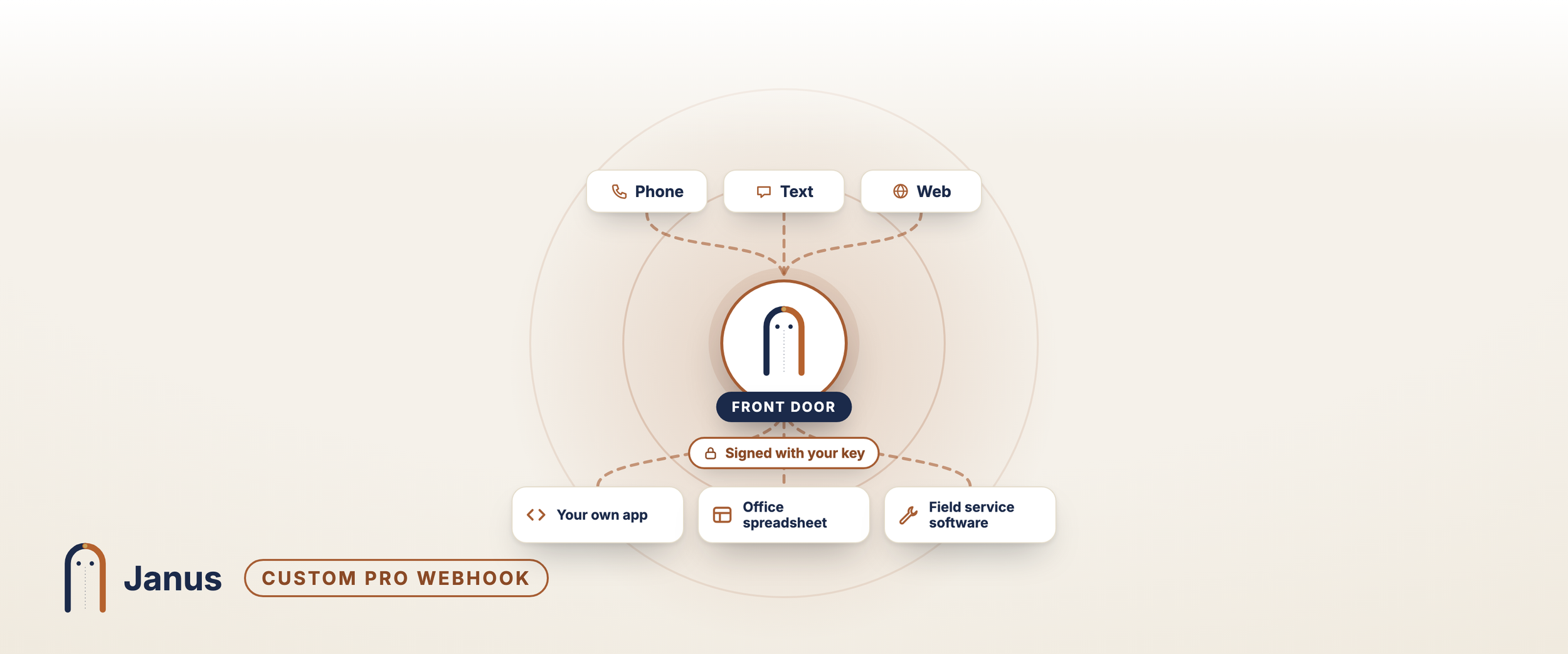

Send every new request to your own system, the moment it arrives.
Janus sends each new lead to a web address you control. Your CRM, your database or the app your trade runs on gets it automatically.
No exports. No copy and paste.
On Pro and Multi-location.
Why send leads to your own system?
The software that runs your business isn't on anyone's integration list. An in-house database, a spreadsheet the office built over years, a niche app for your trade: none of it shows up in a "connect to" menu.
So leads get moved by hand. Someone retypes each one into the system that matters, or it never gets there. And a lead waiting to be moved is a lead going cold.
A webhook fixes that once. Janus hands each request to your system as it comes in, and your system takes it from there.
How it works
- Add a destination. In Janus, open Settings, then Integrations, and find Webhook destinations. Give it a name and the address your system listens on. It must start with https.
- Choose what to send. Tick the kinds of request this destination gets: sales leads, service requests, submissions and job applicants. For sales and service, choose all leads, hot and warm only, or won deals only.
- Save your signing secret. Janus shows it once. Your system uses it to check that a delivery really came from Janus.
- Test it. Send test event fires a sample lead at your address and shows what your system replied.
- Janus sends each request as it arrives. It reaches your system within a few seconds.
What gets sent
What triggers a send
- Request forms. Every request through your front doors.
- AI-answered calls. Each call Janus AI Voice turns into a request.
- Online bookings. A customer who books on your booking page.
- Missed calls. A new caller you missed, once Janus opens a deal for them.
- Won deals. If you choose won only, nothing goes when the request comes in; a won event goes when the deal is won.
What's in each one
- The prospect's name, email and phone
- The services they asked for, their project details and how soon they need it
- The type of property, for businesses that work on site
- When the request came in
- Your business's trade and group, so one receiving system can sort requests for several trades
It arrives as signed JSON.
Up to five systems, each with its own rules
Add up to 5 destinations. Each has its own address, its own signing secret and its own choice of what to receive. Send sales and service requests to your CRM and job applicants to your hiring system, or keep a second copy somewhere as a backup.
Janus tells you when a kind of request isn't going anywhere, and when the same kind is going to two places, so nothing is missed or doubled by accident.
If your system is down
Janus keeps trying
A failed delivery is tried again after 1 minute, 5 minutes, 30 minutes, 2 hours and 6 hours: six tries over about nine hours. If it still can't get through, Janus emails your business notification address and names the destination.
The request is never lost
It stays in Janus either way. Only the copy failed. One destination failing never holds up another.
See every attempt
Each destination lists its attempts: what was sent, when, and what your system answered.
Clear when something's wrong
If your system refuses deliveries as unauthorized or gone, Janus switches that destination off and says so, so you know to fix it. Lost the secret? Roll a new one, and the old one keeps working for 24 hours.
For your developer
The developer reference has what's needed to wire it up in an afternoon:
- the message format and headers
- how to check the signature (HMAC-SHA256 over a timestamp and the body, so a copied message can't be replayed later)
- what to reply, and the retry schedule
- copy-ready examples in Node, Python and PHP
Works with automation tools. Any tool that can receive a webhook can take Janus leads, including automation services such as Zapier and Make, which can pass them on to the apps you already use.
What it doesn't do
- It sends; it doesn't read back. Changes made in your system don't flow back into Janus.
- It doesn't run alongside a CRM connection. An account uses webhook destinations or a CRM connection, not both.
- It doesn't translate. Text Janus writes into a delivery is always English.
- It isn't on Starter. Webhook destinations are part of Pro and Multi-location. On another plan nothing is sent.
- It isn't for everyone. If you don't run your own software, or a tool that gives you a web address to send to, you don't need it.
Looking for a ready-made connection instead? See Integrations.
Webhook questions
What is a lead webhook?
A way for Janus to send each new request to another system automatically. You give Janus a web address, and Janus sends the request there the moment it arrives.
Do I need a developer?
Someone needs to set up the receiving end: a developer, your CRM's webhook feature, or an automation tool. Setting it up in Janus takes a few minutes.
Which plans include it?
Pro and Multi-location. It isn't on Starter.
Can I send to more than one system?
Yes. Add up to 5 destinations, and choose which kinds of request each one gets. Sales and service requests can go to your CRM while job applicants go to your hiring system.
Can I send only my best leads?
Yes. For sales and service requests, send every one, only hot and warm ones, or only deals that are won.
Are missed calls sent?
Yes. A missed call from a new caller opens a deal in Janus, and that deal is sent as a new sales lead, unless the destination is set to won deals only.
Is it secure?
Every delivery is signed with a secret only you and Janus hold, and carries a timestamp, so your system can reject anything that didn't come from Janus or that has been replayed. Your address must use https.
What if my system is offline?
Janus tries six times over about nine hours, then emails your business notification address. The request stays safe in Janus.
Does it update Janus when my system changes a lead?
No. The webhook only sends requests out.
Can I use it together with a CRM connection?
No. An account uses webhook destinations or a CRM connection, not both at once.
Your leads, in your system, as they arrive.
You already did the hard part: earning the lead. Getting it where it needs to go should be automatic.