Short answer: Give each kind of message its own form with its own link: one for new work, one for existing customers who need service, one for general messages like complaints, and one for job applicants. Put each link where that person looks, and send each form to its own list with its own owner, so applications and complaints never land in your sales pipeline. In Janus, each front door has a kind (Sales, Service, Submission or Hiring) that decides where its requests go, and calls answered by the AI assistant are filed the same way.
A single "Contact us" form looks tidy on a website, but it puts four very different people in one inbox: a prospect who wants a quote, a customer whose equipment just failed, someone with a complaint, and someone who wants a job. Each needs different questions and a different person to answer. When they arrive mixed together, the quote request waits behind a résumé, the urgent repair gets read on Monday, and your lead count includes people who were never going to buy.
Here's how to split them, step by step.
Step 1: Name the four kinds of messages you get
Most local service businesses get the same four:
| Kind | Who sends it | What you need from them | Where it should go |
|---|---|---|---|
| Sales | A prospect who wants a quote or a job done | What they need, where, how soon | Your sales pipeline, ranked by who to call first |
| Service | An existing customer with a problem | What's happening, who is affected, how bad | Your service list, ranked by urgency |
| General | Feedback, a complaint, a records request | Contact details and their message | A review list that isn't counted as sales |
| Hiring | A job applicant | Position, experience, availability | Your hiring list, never your customer list |
If a message doesn't fit one of these, it usually fits General.
Step 2: Give each kind its own form and questions
A form with a "What is this about?" dropdown still sends everything to one place, and it asks every visitor the same questions. Separate forms let each one ask only what matters:
Sales: the service, the address or area, and the timeline. These answers are what let you rank leads.
Service: what's wrong, who is affected and how bad it is. A no-heat call with children at home should rise above a dripping tap.
General: contact details and a free-text message. Nothing else.
Hiring: the role and how to reach them. Keep property and service questions off this form.
Shorter, purpose-built forms are also easier to finish. See why a branded request form beats a generic contact form.
Step 3: Put each link where that person looks
People pick the door in front of them, so put the right one there:
"Get a quote" or "Book an estimate" buttons on your homepage, service pages, Google Business Profile and ads go to the Sales form.
"Need service?" in your customer emails, invoices and on stickers at the job go to the Service form.
"Contact us" in your footer goes to the General form.
"Careers" or "We're hiring" on your website, job ads and truck signs go to the Hiring form. More on this in the recruitment front door.
Step 4: Send each form to its own list, with its own owner
Separate forms only help if what they collect stays separate:
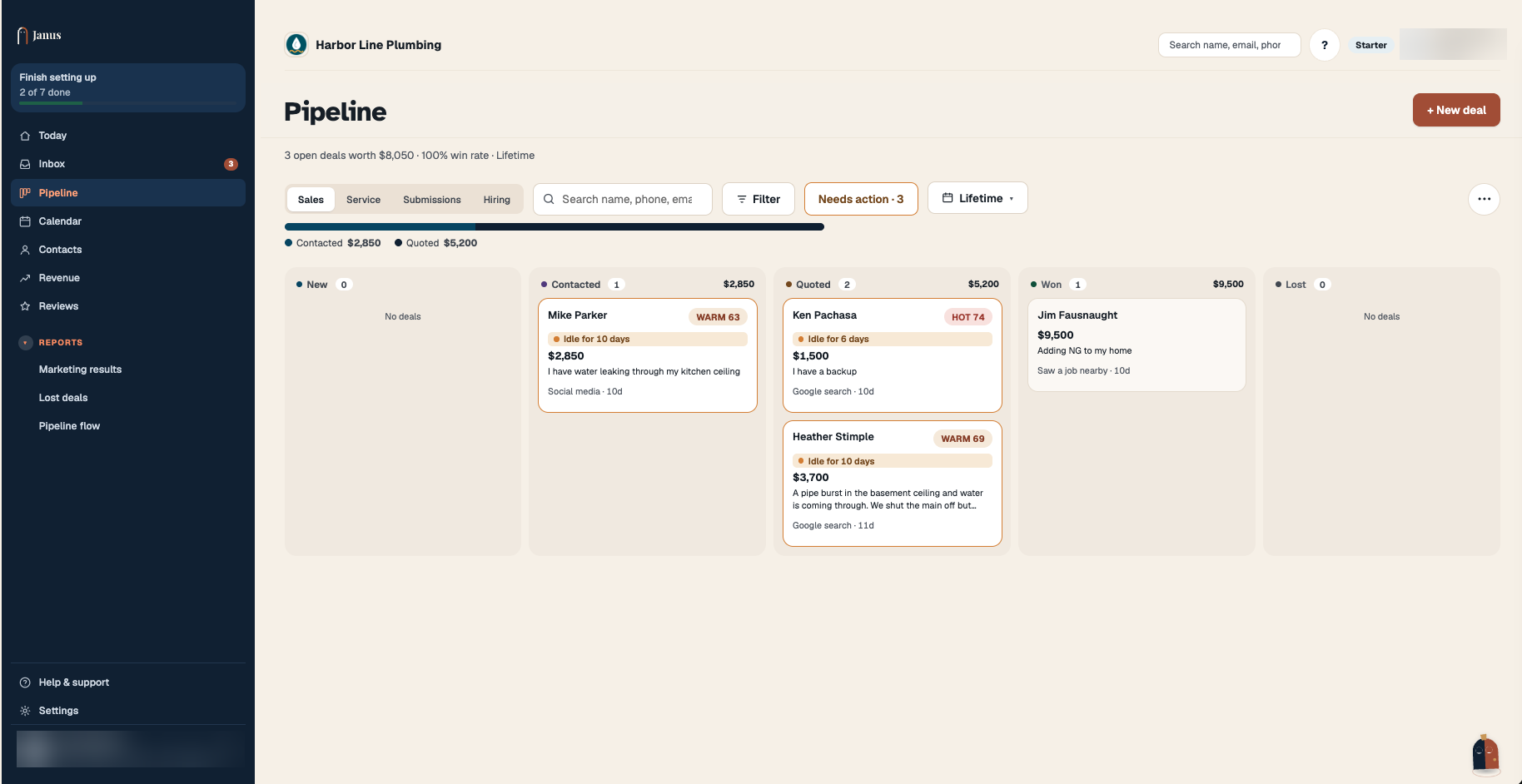
Sales goes to whoever follows up on quotes, ranked so the best jobs are called first.
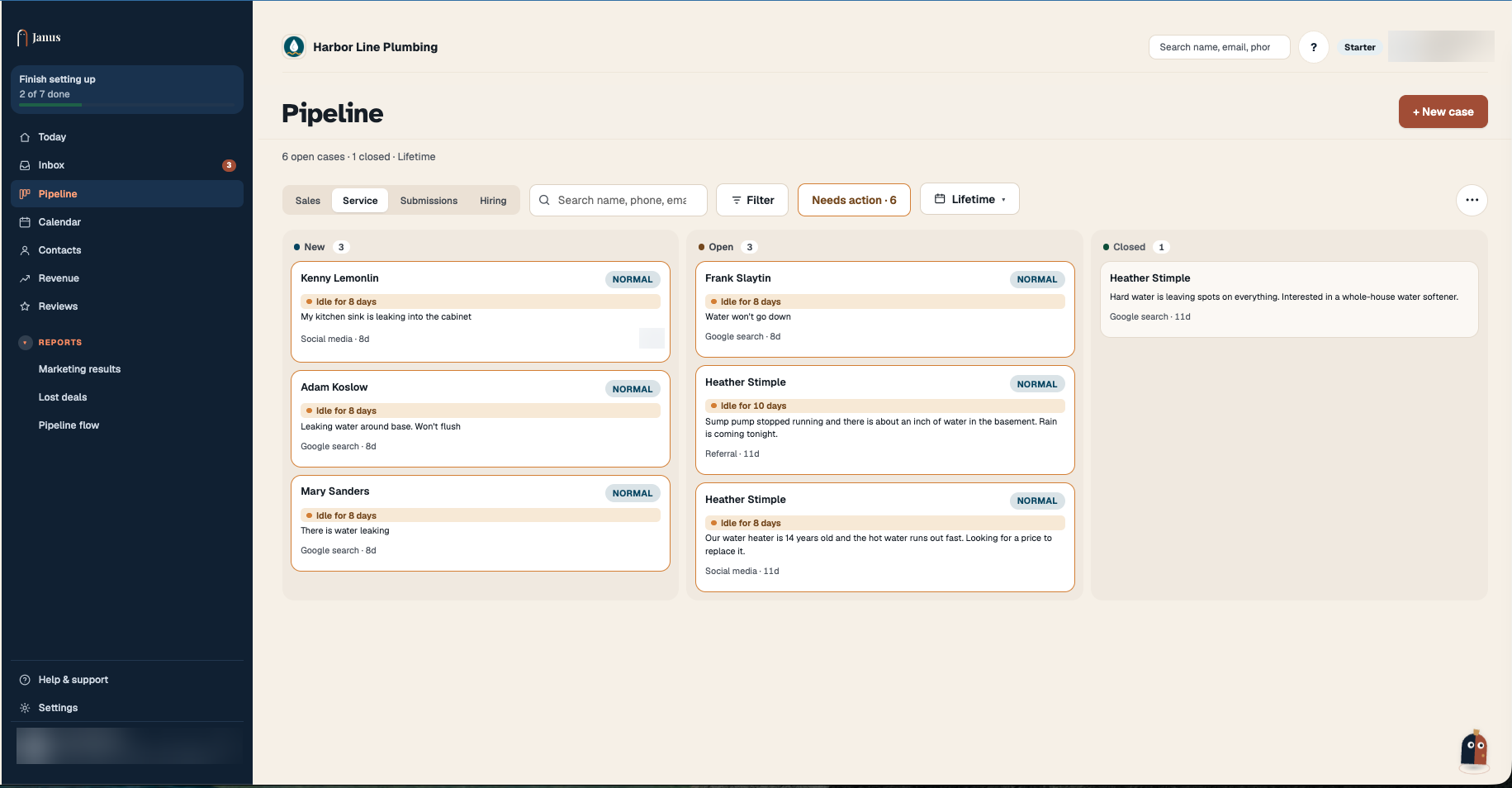
Service goes to whoever dispatches, ranked by urgency.
General goes to a review list that someone reads every day, and it never counts toward leads or revenue.
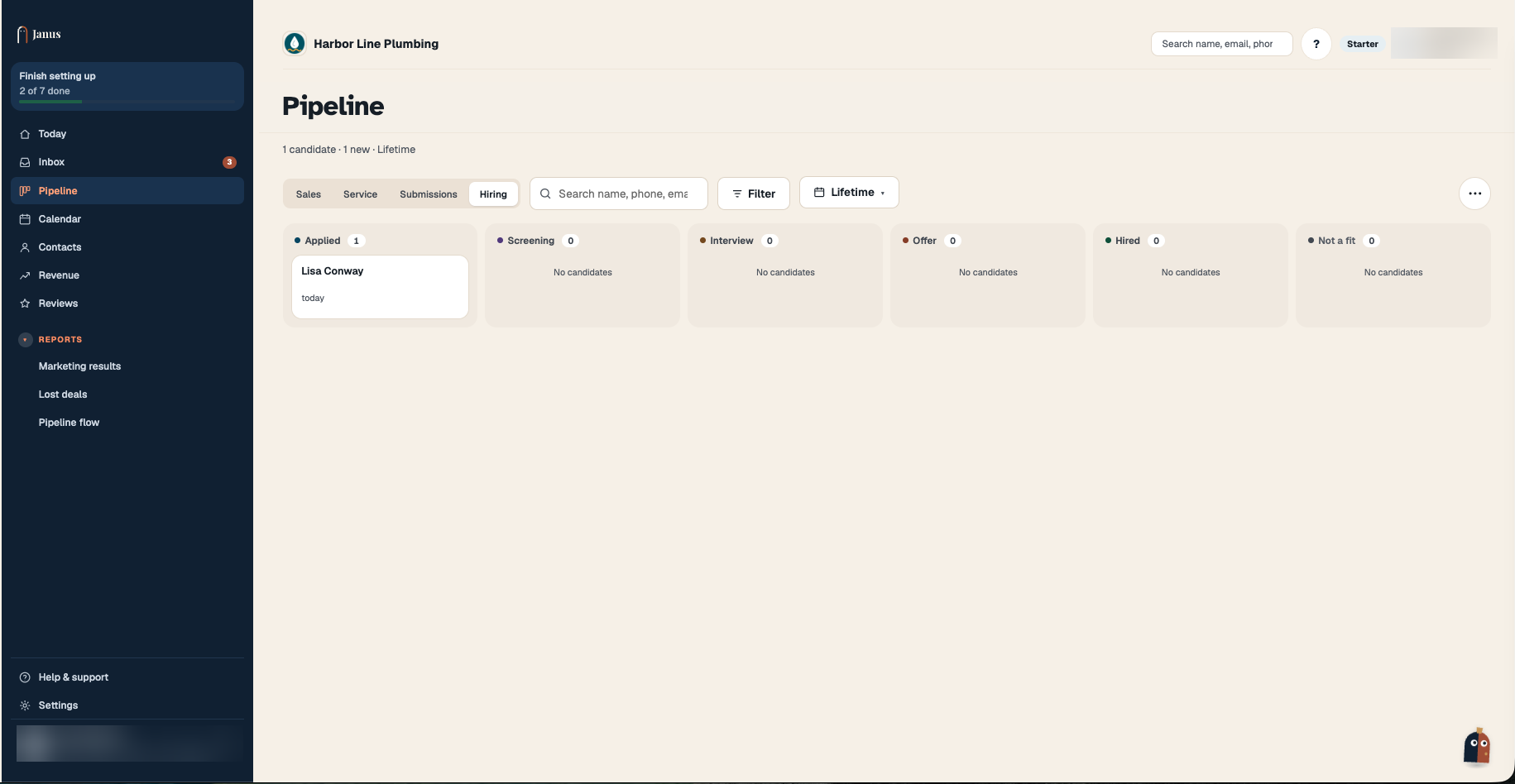
Hiring goes to whoever hires, and stays out of your customer list. Applicants aren't customers, and hiring rules apply to how you contact and keep their information.
Step 5: Sort phone calls the same way
Many requests still come by phone. Whoever answers, a person or an AI assistant, should decide which of the four kinds each call is and put it in the same list the form would have used. Otherwise your website is sorted and your phone isn't.
How Janus does it
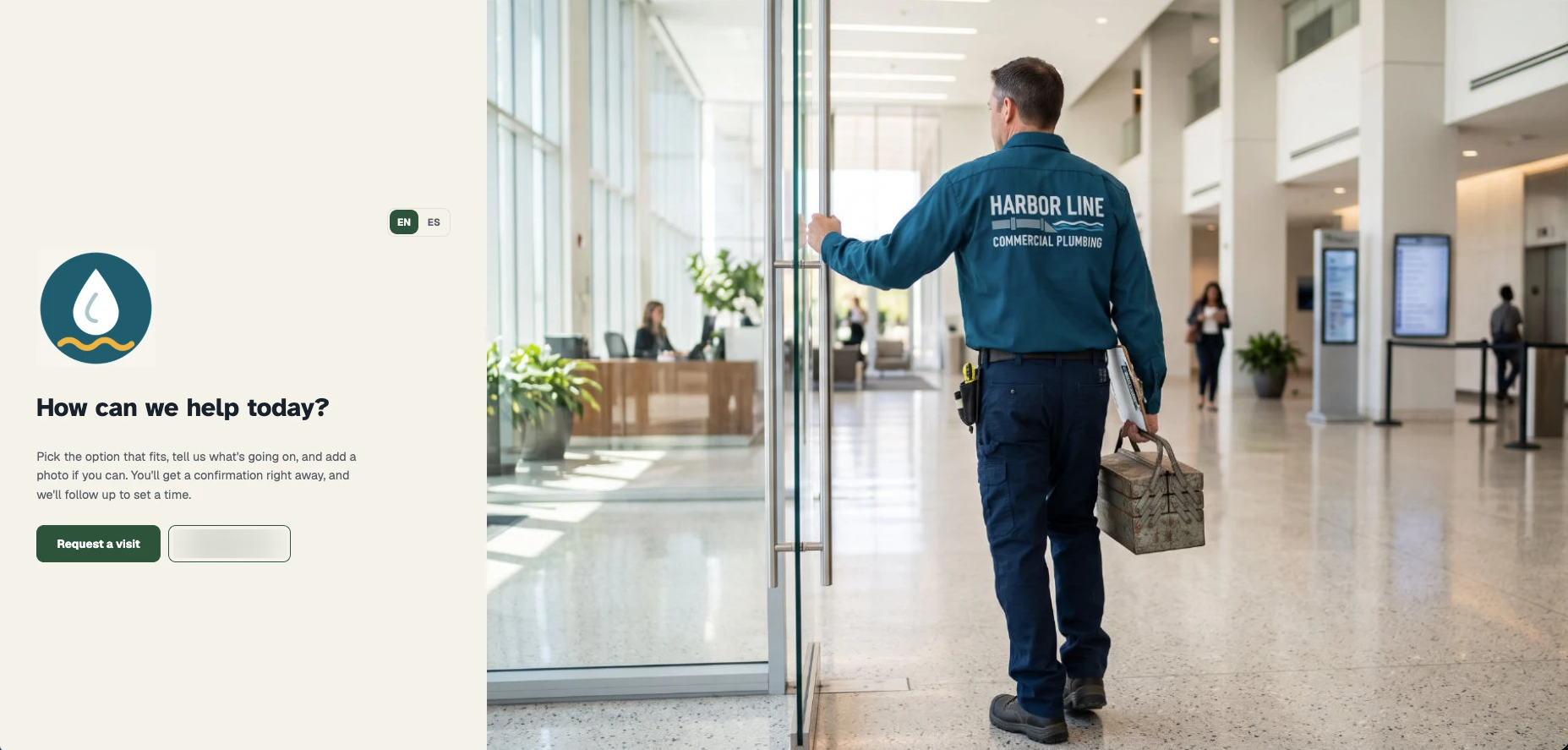
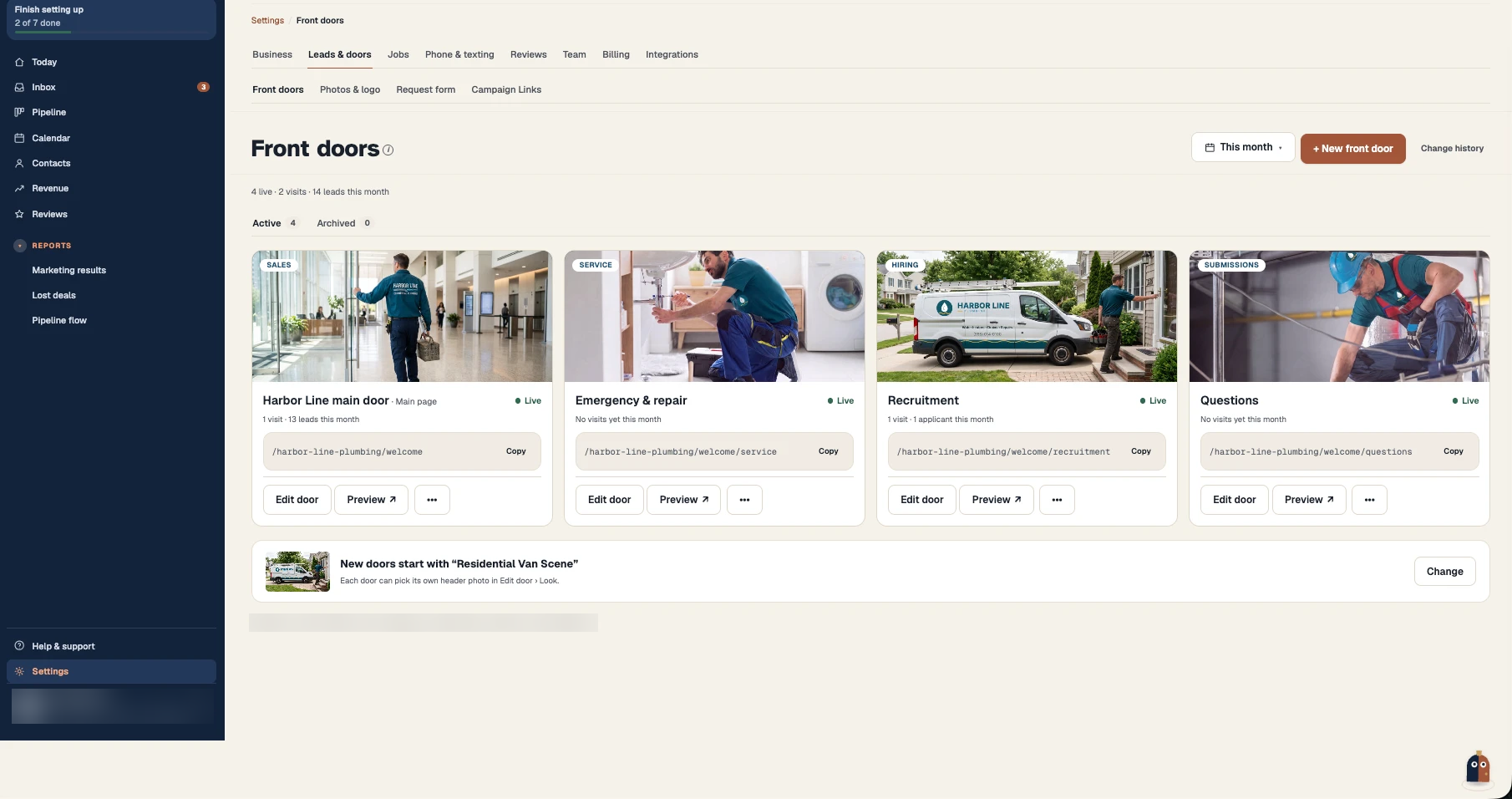
In Janus, each of these forms is a front door: a branded page with your logo, your photos and its own questions. Every front door has a kind, and the kind decides where its requests land:
Sales doors land in the Sales view of Pipeline, rated Hot, Warm or Cold, and create a deal and a customer record.
Service doors land in the Service view of Pipeline, rated Urgent, High, Normal or Low, and also create a deal and a customer record.
Submission doors land in Submissions, a review list. They aren't rated and never create a deal or customer record.
Hiring doors land on the Hiring tab of Pipeline, where each applicant moves through Applied, Screening, Interview, Offer, Hired or Not a fit. Applicants aren't scored or ranked, and no customer record is created.
Each door has its own link and QR code, and every request is tagged with the door it came through, so you can see which pages and ads bring in which kind of request. Janus never texts job applicants; they get a plain "we received your application" email. When the AI phone assistant answers a call, Janus files it under one of the same four kinds, so calls and forms end up in the same lists.
You create doors under Settings → Leads & doors → Front doors, pick the kind, and put each door's link behind the matching button on your website. See how the digital front door works, and plans and pricing for how many front doors each plan includes.
Mistakes to avoid
One form with a dropdown. It looks separated but lands in one inbox, and people pick the wrong option.
Job applicants in your sales CRM. They inflate your lead count, and applicants never agreed to your marketing texts.
Counting complaints as leads. Your cost per lead looks better than it is, and the complaint gets a sales follow-up instead of an answer.
Sorting the website but not the phone. If calls still go to one voicemail box, every phone request is still mixed together.
Frequently asked questions
Should job applications go into my CRM?
Keep them in a separate hiring list instead. Applicants aren't customers, so they shouldn't count as leads or get your marketing texts. In Janus, applications go to the Hiring tab of Pipeline and never create a customer record.
Can I use one contact form with a "reason for contacting" dropdown?
You can, but it still sends everything to one place and asks everyone the same questions. Separate forms, each with its own link, let each one ask only what that person needs to answer and send it straight to the right list.
How many forms does a small service business need?
Usually two to four: one for new work, one for existing customers who need service, and, if you get them, one for general messages and one for job applicants. Start with Sales and Service, and add the others when those messages start arriving.